Profile and settings
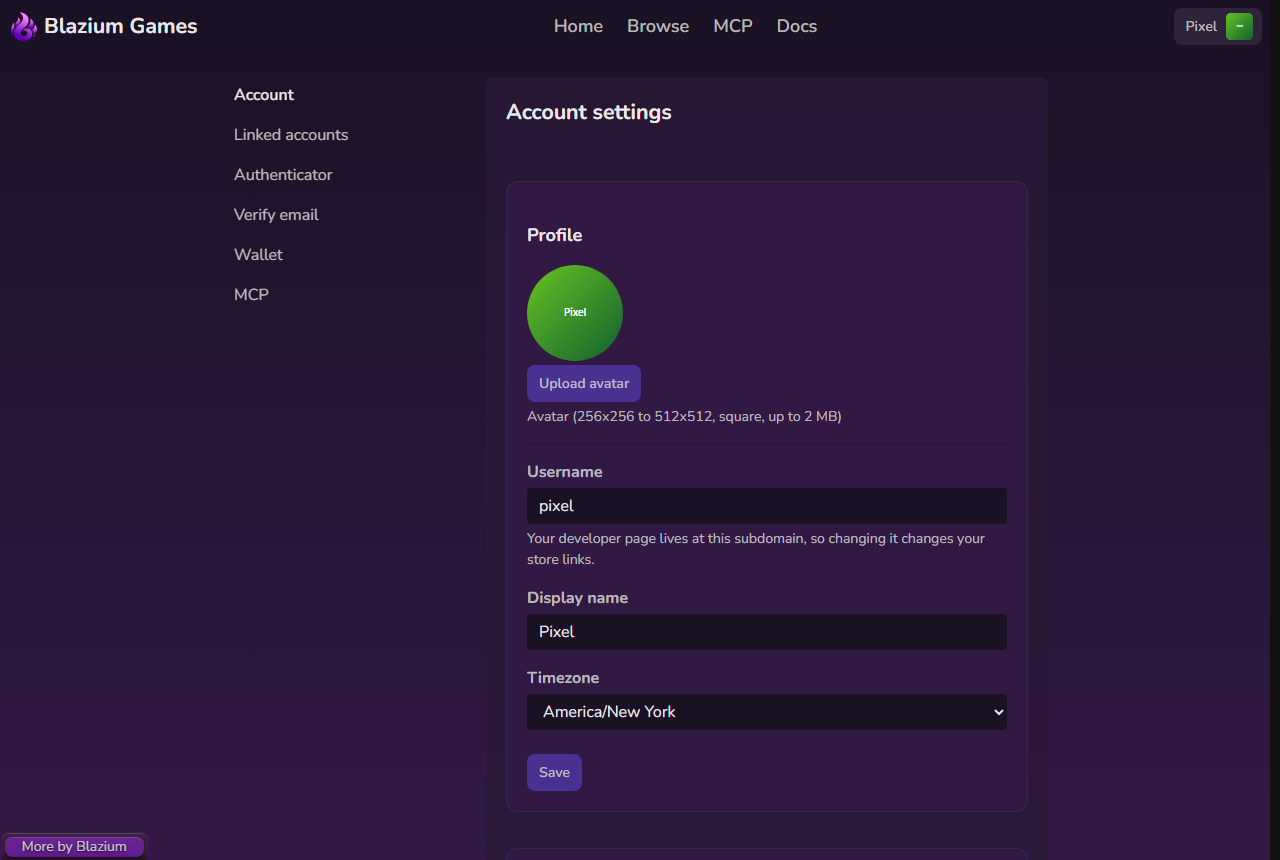
Open Settings from the account menu. The side menu has Account, Linked accounts, Authenticator, Verify email, Wallet, MCP, Chat and Copyright notices.
Profile
- Upload avatar: a square image from 256×256 to 512×512 pixels, up to 2 MB (PNG, JPG, GIF or WebP). Without one, your initials are shown.
- Username: your developer page lives at
username.blazium.games, so changing it changes your store links. - Display name: the name shown on your page and in the header.
- Timezone: used for dates and times.
Click Save. "Settings saved" confirms it.
Your public page at username.blazium.games shows your avatar, display name, username and published projects. Click View profile in the account menu to see it.
Developer mode
Turning on developer mode lets you publish games, mods and tools. Players don't need it. See Developer mode.
Adult content
Adult listings (sexual content or nudity) are hidden by default, and always hidden from people who aren't signed in.
To see them:
- Under Adult content, tick "I am 18 or older, and adult content is legal where I live".
- Click Show adult content.
Adult listings then appear in Browse, on developer pages and on store pages, marked 18+. Hide adult content turns them off again. You can still leave them out of a single search with Hide adult content in Browse's filters.
How developers label adult content is covered in Content rules.
Chat
Chat creates a chat token so you can use your own IRC client (HexChat, WeeChat, irssi, and others) with game chat. The token is shown once. Regenerate token replaces it and disconnects every client signed in with the old one (tick Disconnect clients using my current token first); Revoke token removes it. The page also shows the server settings. See IRC clients and the Chat Rules.
Copyright notices
Copyright notices lists the paid copyright (DMCA) notices that name your content, with their status and any messages from our staff. It's empty unless someone has filed one. See Copyright (DMCA) notices.
Cookies
The first time you visit, a banner asks about analytics. Accept turns on Google Analytics and browser fingerprinting, which help us understand how game pages are used. Decline keeps them off. Sign-in cookies are always on because the site needs them.
To change your choice later, click Cookie settings at the bottom of any page. The details are in Permissions.