Friends
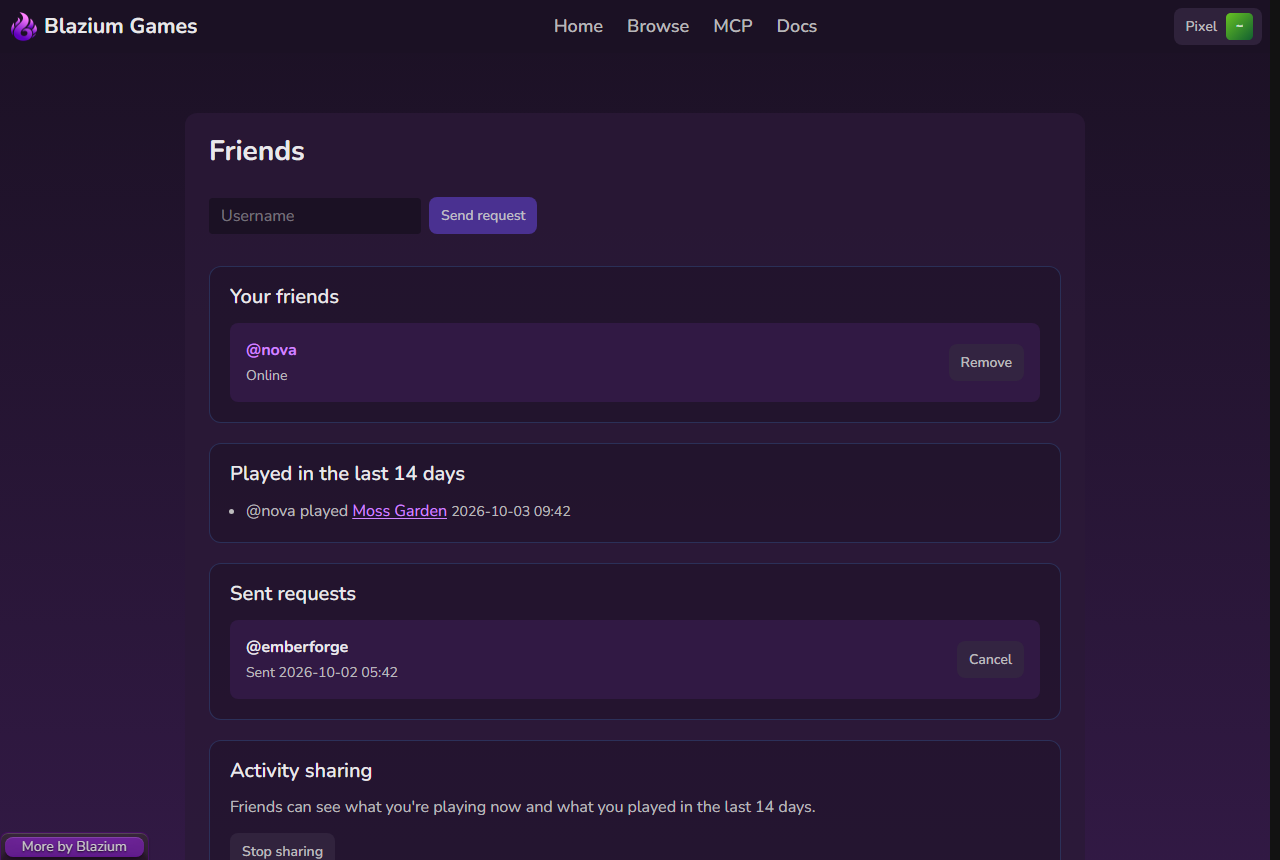
Open Friends from the account menu.
Add a friend
- Type their username in Username. A leading
@is fine. - Click Send request.
The page says "Request sent to @name". If they had already sent you a request, you become friends right away. Requests you sent are listed under Sent requests, where Cancel withdraws one.
Answer a request
Incoming requests are under Requests. Click Accept or Decline.
See what friends play
- Playing now lists friends in a game right now.
- Your friends shows each friend as Playing a game, Online or Offline.
- Played in the last 14 days lists recent games.
The home page shows the same recent games in Friends are playing.
Remove takes someone off your list straight away. There is no confirmation.
Chat
Friend messages and each game's chat are on irc.blazium.online. A friend message is a private message to your friend's username, so it works from BlaziumLauncher or any IRC client. In the launcher you can also invite a friend to a game. Details are in Chat.
Activity sharing
Under Activity sharing you choose whether friends see what you play:
- Stop sharing hides your current and recent games from friends.
- Share with friends shows them again.