Your library
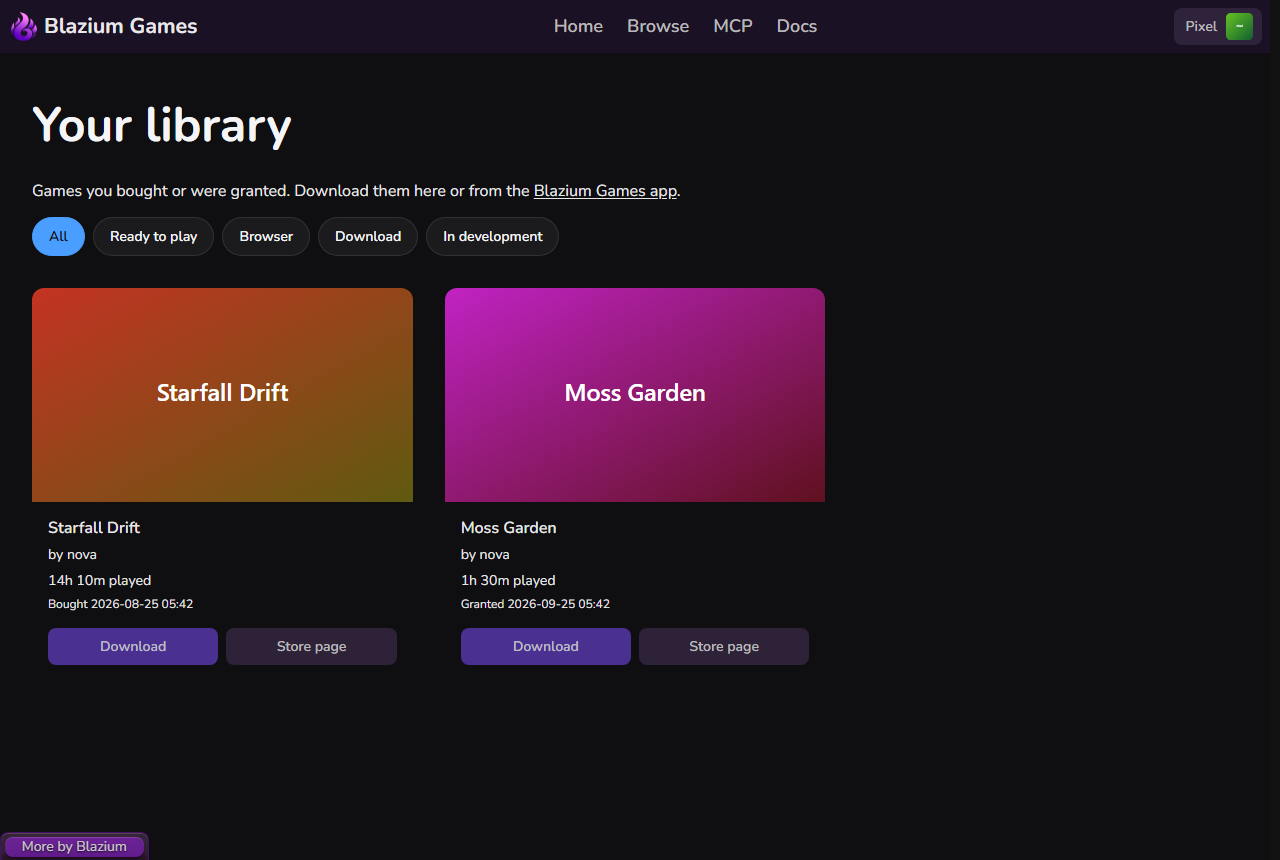
Open your library from the account menu: Library, under the player items. It lists every game you bought or were given, with:
- The developer.
- Your play time, or "Not played yet".
- Bought or Granted and the date (UTC).
- "Refundable until ... UTC. Contact support" while a refund is still possible. See Refunds.
Filter the list
The chips above the cards narrow the list:
| Chip | Shows |
|---|---|
| All | Everything you own. |
| Ready to play | Games with a web build or a download. |
| Browser | Games with a web build. |
| Download | Games with a download. |
| In development | Games still in development or at the prototype stage. |
If nothing matches, click Show all.
Get a game
Each card has buttons for what the game offers:
- Download opens the game's store page at its downloads. See Buy and download a game.
- Play appears for games with a web build and also opens the store page at its downloads.
- Store page opens the store page.
You can also install and update your games with the desktop app.
An empty library
A new account shows "Your library is empty." with a Browse games button. Free games are added the first time you download them, and keys are added when you redeem them.