Embed a game on your website
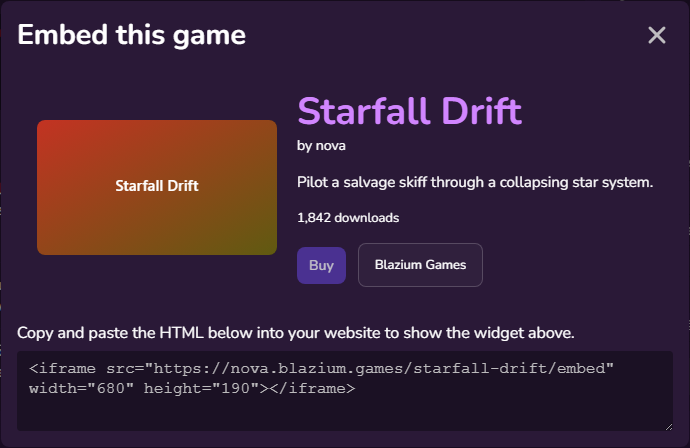
Anyone can put a small widget for a game on their own website.
- Open the game's store page.
- Click Embed, near Report and Press kit.
- The Embed this game dialog shows a preview and the HTML.
- Copy the HTML and paste it into your page.
The code looks like this:
<iframe src="https://developer.blazium.games/game/embed" width="680" height="190"></iframe>
What the widget shows
- The thumbnail, the name, the developer and the tagline.
- Free for free games and Play in browser for games with a web build.
- The download count, when the game has been downloaded at least once.
- A main button: Buy for paid games, otherwise Play now (web build), Download or View.
- A Blazium Games link.
Both buttons open in a new tab, so visitors don't leave your page. The main button goes to the store page, where they buy or download as usual.
The widget always shows the game's current details, so you don't need to update the code when the game changes.